








Sometimes, writing a program to fix corrupted data is overkill, especially when a manual tweak is all it takes. That’s where UltraEdit’s manual hex editing becomes incredibly powerful.
When you’re in Hex Mode, UltraEdit lets you directly modify, add, or delete individual byte values in a file. Whether you’re dealing with a damaged binary, a broken config file, or a system-level format, manual hex editing gives you hands-on control—no scripts, no workarounds, just byte-level precision.
Fixing file corruption
Corruption can happen for many reasons: system crashes, faulty applications, and incomplete saves. Sometimes, a single wrong byte can break an entire file.
With UltraEdit, you can:
- Open the corrupted file in Hex Mode
- Navigate to the suspect byte(s)
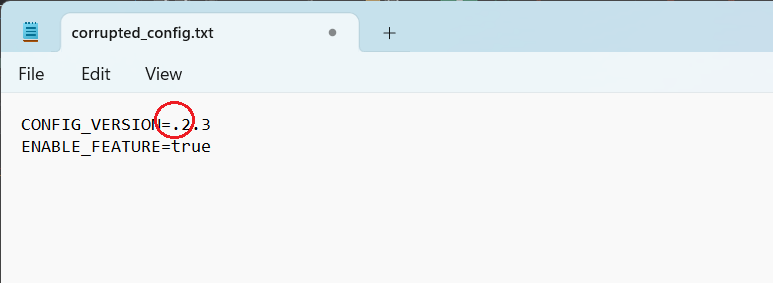
Corrupted Text File
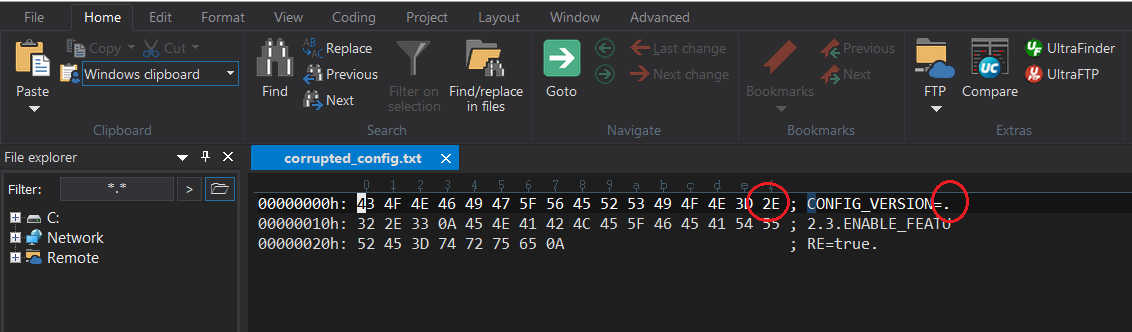
Corrupted file in hex mode
- Edit or replace the invalid hex values manually
- Save and test the corrected file instantly
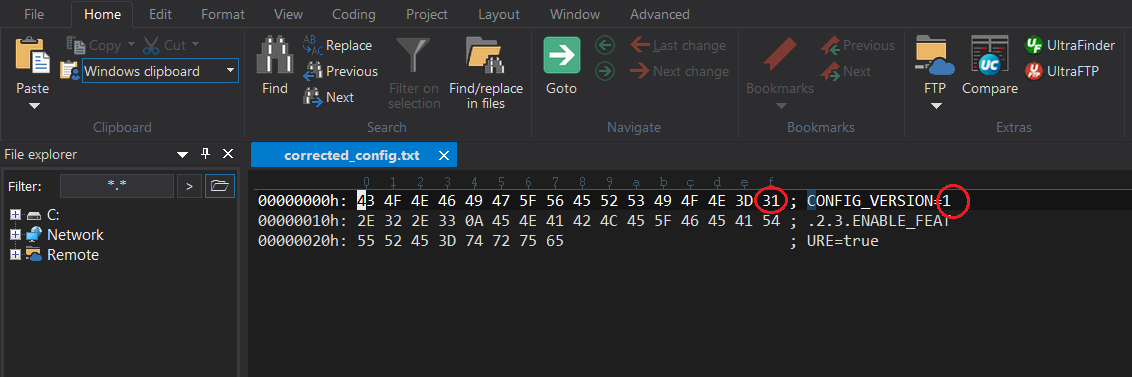
Corrected text file in hex mode
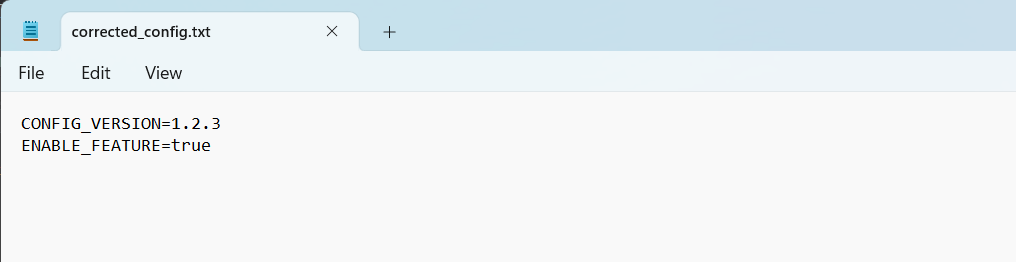
Corrected text file
This is especially useful when dealing with small or localized corruption, where repairing the file with a program isn’t practical.
Bypassing application edit checks
Some software restricts editing certain file elements, whether it’s a version field, a hidden flag, or a built-in checksum. In UltraEdit, manual hex editing allows you to override or patch these restrictions directly.
For example, you might:
- Change a 01 flag to 00 to unlock a disabled feature
- Modify a version number embedded in the binary
- Adjust a licensing string stored as hex
Advanced users often use this kind of editing to troubleshoot or extend the functionality of third-party tools and custom formats.
Correcting system-level errors
If a file’s structure is known, you can use UltraEdit to restore it manually. This can include:
- Adding missing bytes
- Removing padding or invalid data
- Restoring headers or delimiters
And because UltraEdit displays both the hexadecimal view and the ASCII text view side-by-side, it’s easier to understand what each byte represents — even for mixed-content files.
A tool for power users
Manual hex editing isn’t just for developers — it’s a lifesaver for IT pros, forensic analysts, QA testers, and system admins. When every byte matters, UltraEdit gives you the precision and flexibility you need.
Download UltraEdit, enable Hex Mode, and start fixing files manually with confidence.



0 Comments